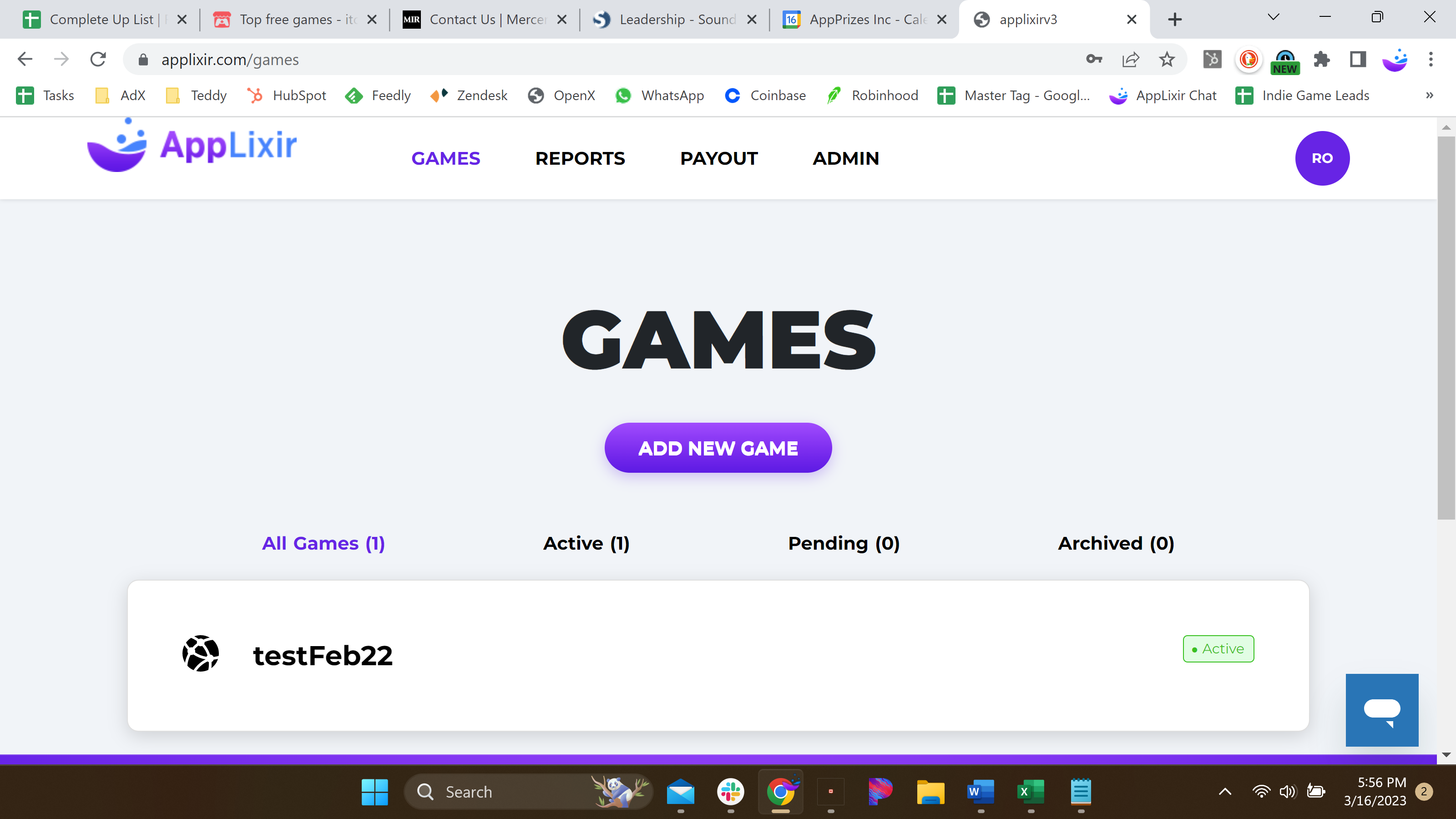
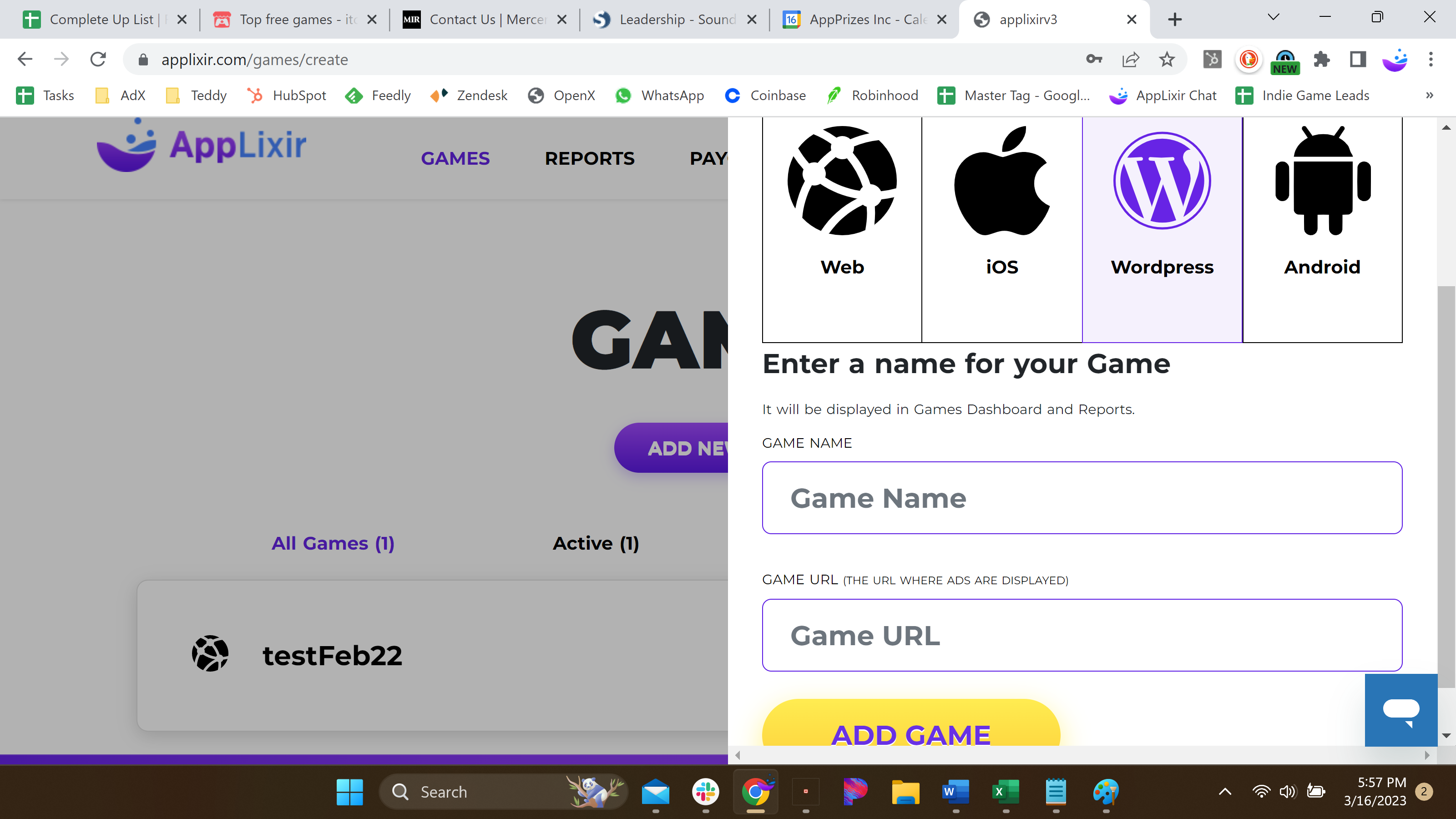
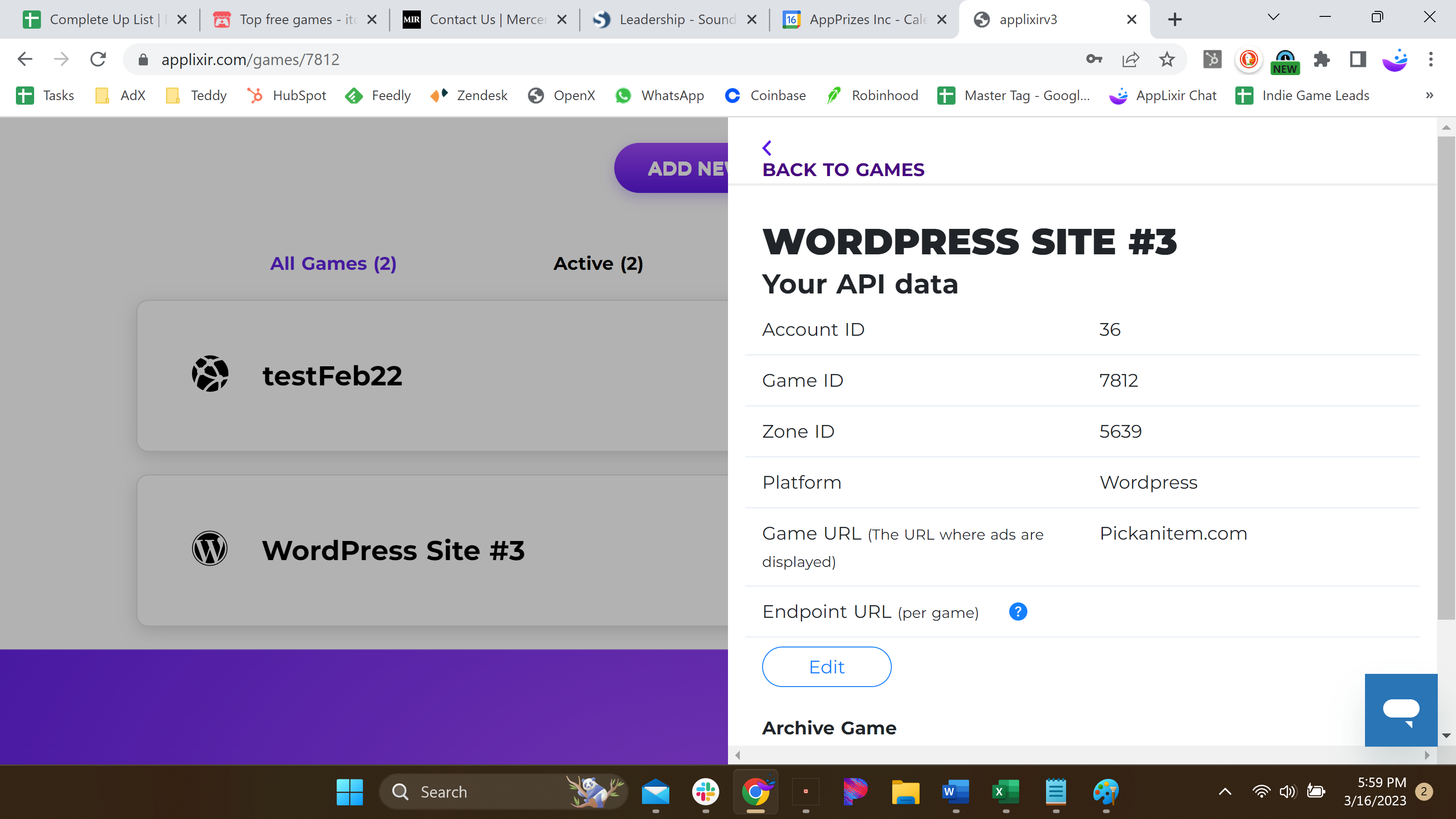
AppLixir IntegrationWordpress Integration Step 2: AppLixir Account SetupOn this pageWordpress Integration Updated Mar 25Step 2: AppLixir Account SetupStep 2 > You have to create an account at AppLixir.com and verify your email. 1. Click on Games Tab and Click "Add New Game" button. 2. Choose the WordPress sign and enter the nameof your Site and Site url inside the boxes, and click "Add Game"button. 3. Copy Your Account ID, Game ID and Zone ID.