Step 3: Initalize "unitypackage file"
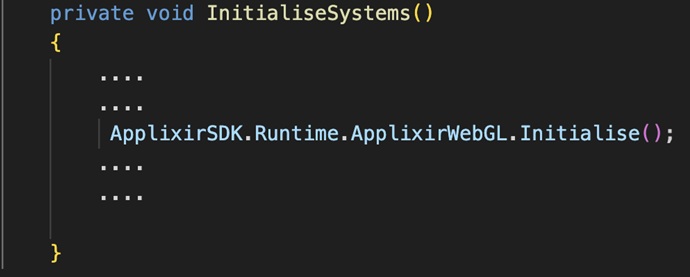
Before you call the for rewarded video, you need to initialise the SDK. To do so, you need to call the static method ApplixirWebGL.Initialise() as below:
Call for a rewarded video.
In the game when suitable, you distribute a call to show a video. To show the video, you need to call ApplixirWebGL.PlayVideo (..), passing there callback. The callback you’ve sent will be called after the video call is resolved with any status. Status will be passed to the callback as a member of the enum PlayVideoResult.
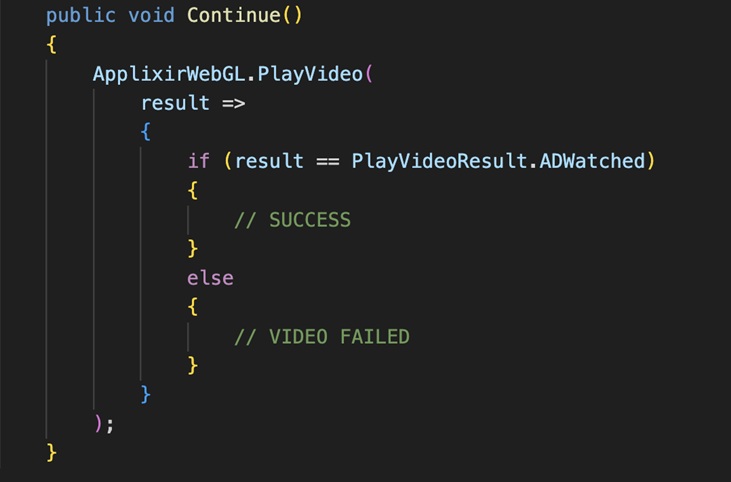
The only positive result is PlayVideoResult.ADWatched. Receiving this, you may give away the reward to the player. Receiving other statuses may be a sign of other errors either on your side (for example, NoZoneid or CorsError) or on the user’s side (for example, ADBlocker or ADInterrupted).